How to Create a Great Onboarding Experience for Remote Employees

Onboarding new hires is a vital part of the employee lifecycle process. It helps employees adjust to their new social and professional environment. Successful onboarding programs have been linked to longer company tenure, higher employee satisfaction, better productivity, and more referrals.
Working remotely allows employees to work from different locations, gives them more flexibility and autonomy, but with no doubt, it challenges the company culture from the very beginning. Having no opportunity to meet face to face and connect with team members, it’s a very different employee experience.
Here are 8 tips on how you can create a great employee onboarding experience for remote employees using a digital workplace:
1. Communicate in Advance
Communicate with new hires in advance of their start date. Communication during the onboarding process is key, as this sets the tone for how the employee will receive communication during their tenure with the company. At least a week prior to their start date, send an email or call the new hire with information about what to expect on their first day – when they will receive their company computer and swag, a rough schedule overview of their first day, an overview of the technology they will need to use, etc.
2. Prepare a Welcome Kit
Send new employees a new hire welcome kit! Nothing entices people like some free goodies, so send them a kit with some company-branded swag that they will be able to use at home, a sweet treat, and a gift card for employees to purchase a coffee or lunch on the company for their first day.

3. The First Day is Always Important
Reach out to the new hire first thing in the morning on their start date. First day jitters are a normal feeling so it’s important to make the new hire feel welcome and prepared, especially when they won’t be starting in the office. It’s best to contact the employee either by phone or email on the morning of their start date to provide them with login information, more guidance on their first few hours, and to reiterate what they should expect during their first few weeks. Odds are the new employee will also have some questions, so this will be a good time to offer guidance.
4. Orientation Days
Conduct new hire orientation on their first days over a video chat platform to enable face to face participation and better engagement. During orientation days, prepare an interactive presentation and be sure to cover the following: company mission and stats, culture, key players within the company, benefits, org chart, technology they will regularly use, etc.
“I’m thrilled with how prepared LumApps was to onboard me as a remote team member. I’ve worked remotely for 9 years for 4 different companies. LumApps was far more prepared with pre-hire communication, a thoughtful welcome kit, technology outfitting, day-by-day task lists, an onboarding buddy, and check-ins from HR. I always knew what I should be doing or who to go to with questions.”
– Shaun Slattery, Director of Change Management at LumApps
5. Set Initial Goals
Provide the new hire with a list of goals to accomplish during their first week, the first month, and the first ninety days. Ideally, the employee’s manager will be available to help them achieve most of these tasks, but should the new hire have downtime, it’s great to have something to work towards on their own. For example, a first-day task could be showing the new hire how to introduce themself on your company intranet and then having them actually introduce themself on the intranet (thereby testing their knowledge and allowing other employees to get to know them).
6. Use the Buddy System
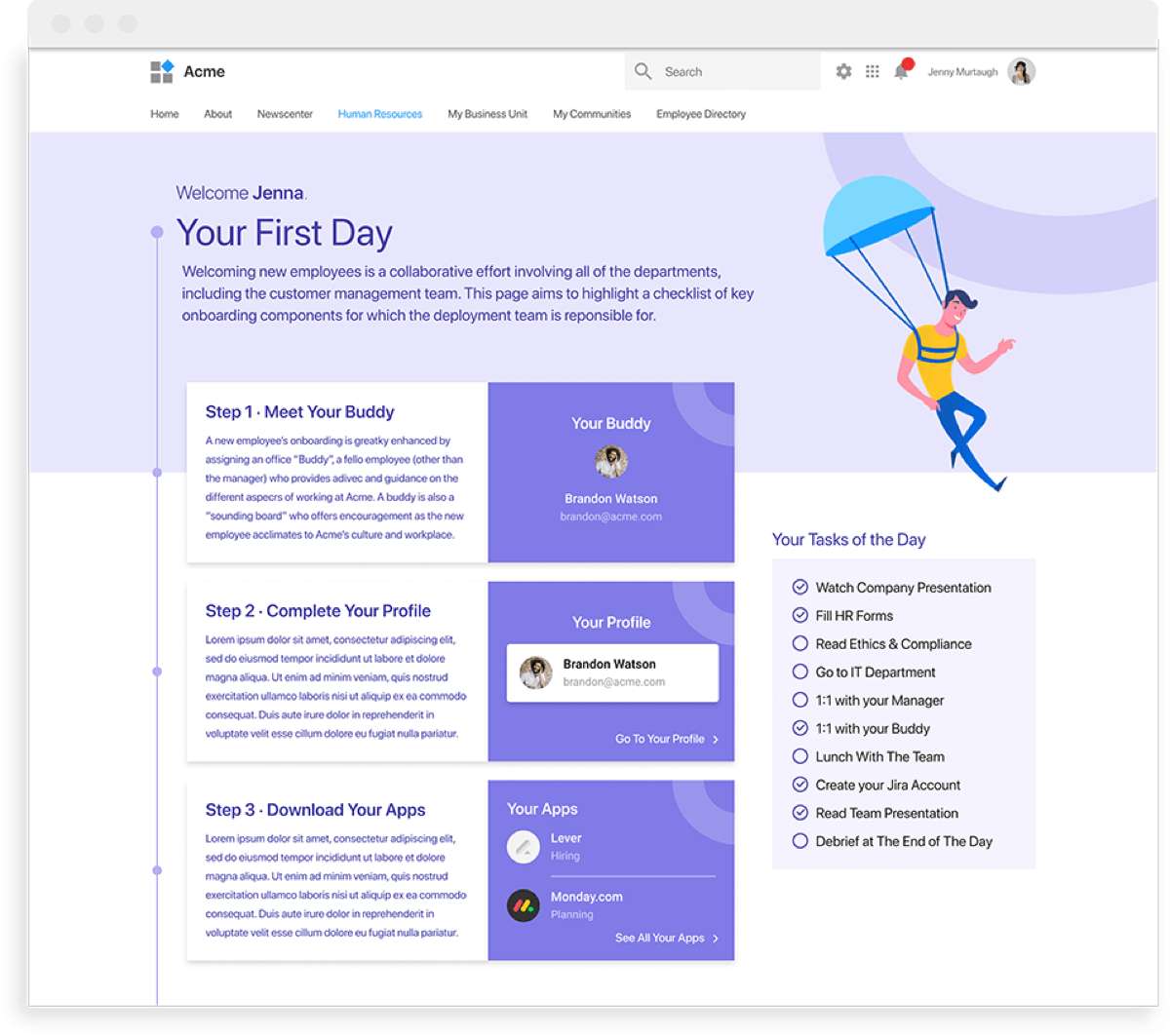
Provide the new hire with a buddy or mentor figure – someone they can turn to for help or with questions during onboarding. This is especially important for remote employees and it can positively affect their engagement within the organization. Having a buddy makes integration easier and reduces the sense of isolation. Not to mention that once you have the chance to visit the office you will have a friendly face to introduce you to others.
7. Organize Introduction Meetings
Introducing employees across departments is good for both office and remote workers. It’s not enough to see an organization chart with a picture and a name, to understand how teams work. Schedule short meetings so that the new hire can get to know all of their new teammates and gain a clear picture of everyone’s responsibilities within the organization. Meeting someone in person or a video meeting breaks the ice and allows for better employee communication.
8. Be Available and Show Interest
Check-in with the new hire periodically during the onboarding process – at the end of their first day, second day, first week, first month, first ninety days. Ensure that lines of communication to you are open, but be proactive in communicating with your new remote employees as well. You want to provide them with enough opportunity to share candid feedback, wins, and challenges.
At the end of the day, onboarding sets the tone for how someone’s employment transpires with your company. It’s important to clearly communicate, highlight resources the employee has access to, and make them feel welcome and valued within your organization.
Discover our latest content on employee experience :
- What is Employee Experience? The Full Guide to Improve it
- 15 Great Benefits of Diverse Culture and Inclusion in the Workplace
- 22+ Best Digital Employe Experience Tools for Companies in 2023
- What is Collaboration in the Workplace? Benefits & Strategies
- What is Company Culture? Importance and Best Practices
- Diversity and Inclusion in the Workplace: Importance, Implementation and Improvement
- 10 Smart Ideas to Really Improve Employee Collaboration
- 10 Benefits of Employee Experience for Business
- What is an Employee Experience Platform? Top Benefits and features
- 10 Easy Ways to Improve Your Employee Experience Strategy
- 10 Best Features for an Internal Knowledge Management Software
- 10 Steps to Build a Successful Company Culture - Guide
- 15 Tips for Successfully Reboarding Employees
- 20 Ideas to Enhance The Company Knowledge Base
- 20+ Useful Ideas to Improve Your Company Culture | GUIDE
- Importance of Organizational Culture: 15 Benefits for Companies
- 20 Ideas to Improve Equity, Diversity and Inclusion in the Workplace
- 8 Useful Ways to Enhance Teamwork in the Workplace | LumApps
- 10 Steps to Build an Internal Knowledge Sharing Culture
- How to Create a Great Onboarding Experience for Remote Employees
- 5 Starting Points for a Resilient Organizational Culture
- Smart Working: The Agility and Flexibility Enterprises Need
- 10 Steps to Create a Strong Employee Journey Map | LumApps
- Top 15 Benefits & Examples of Team Collaboration - LumApps
- 8 Types of Collaboration to Use in your Digital Workplace
- What are the 4 Types of Corporate Culture? Choose Yours
- What is an Employee Journey? The Benefits of Journey Mapping
- Employee Experience Platform for Large Enterprises | LumApps
- Employee Onboarding + AI : The future of Employee Integration













Get started with LumApps
We would love to know more about your goals. How can we help?
