14 Best Intranet Apps to Enhance Team Collaboration and Efficiency
Siloed information, ineffective communication and the constant juggle between multiple tools can hamper team collaboration and efficiency.

Siloed information, ineffective communication and the constant juggle between multiple tools can hamper team collaboration and efficiency.
You’d ideally want a solution that centralizes information and transforms chaotic workflows into efficient processes. But how do you choose the right platform?
In this article, we’ll list intranet apps, highlight their unique features and use cases. By the end, you’ll have a better understanding of which intranet app might be right for your organization.
Types of Intranet Apps
Intranet apps are software applications specifically designed for internal use within an organization to enhance communication, collaboration, and information sharing among employees. These apps are typically accessed through a company’s private network and serve as a centralized platform for various functions and tasks. Here are different types of intranet apps and their functionalities:
- Communication and Messaging Apps: These apps facilitate real-time communication among employees through instant messaging, chat rooms, and announcement boards. They help in disseminating information quickly, fostering team collaboration, and reducing email overload.
- Collaboration and Project Management Apps: These apps enable teams to work together on projects, share documents, assign tasks, track progress, and communicate effectively. They streamline project workflows, improve productivity, and ensure transparency in project management.
- Document Management and File Sharing Apps: These apps provide a secure platform for storing, organizing, and sharing documents and files within the organization. They help in maintaining version control, ensuring data security, and improving document retrieval and access.
- Social Networking and Community Apps: These apps create a social platform for employees to connect, share ideas, collaborate on projects, and build a sense of community within the organization. They promote employee engagement, knowledge sharing, and team building.
- Knowledge Management and Learning Apps: These apps help in capturing, storing, and sharing organizational knowledge, best practices, and training materials. They help improve communication skills and facilitate continuous learning.
- Human Resources and Admin Apps: These apps streamline HR processes such as employee onboarding, performance evaluations, leave management, and payroll. They automate administrative tasks, improve HR efficiency, and enhance employee experience.
14 Intranet Apps for Enhanced Workplace Connectivity
Here’s a quick of overview of our list:
1. Beekeeper: Best for Frontline Teams

Source: Beekeeper
Caption: Beekeeper’s employee lifecycle management system for frontline success
Alt text: employee engagement, onboarding, and recognition features in Beekeeper
With its intuitive interface and mobile accessibility, Beekeeper enables real-time communication, team collaboration, and information sharing among frontline staff. The app’s frontline-focused capabilities like Beekeeper campaigns streamline communication processes, ensuring that teams stay informed, connected, and motivated. Beekeeper’s secure and centralized platform enhances employee engagement, fosters a sense of community, and promotes a culture of transparency within organizations with dispersed or mobile workforces.
Beekeeper stands apart as an employee app, distinct from traditional intranet applications. While traditional intranets have become outdated and challenging to maintain, Beekeeper offers a modern solution that enhances communication and collaboration within frontline organizations.
Top Features
- Real-time messaging: allows employees to communicate instantly, promoting swift and efficient information sharing
- Shift-coordination: becomes seamless with Beekeeper, as employees can easily coordinate schedules, swap shifts, and stay updated on any changes in real-time
- Digitized workflows: streamline processes, reducing paperwork and manual tasks, allowing employees to focus on more meaningful work
- Sentiment analysis with frontline AI package: enables organizations to gauge employee satisfaction and sentiment, helping them take proactive measures to improve employee engagement and well-being
- Employee services: instant access to onboarding/offboarding processes, training materials, pay summaries, shift changes, and PTO requests, eliminating delays and streamlining administrative tasks
- Employee referrals program: fill open roles more efficiently while retaining employees within your organization and lowering recruitment costs
Limitations
- not designed for office-based employees
Pricing
Starting from $2160/year
2. Microsoft Teams: Best for Microsoft-Centric companies
Source: Microsoft Teams
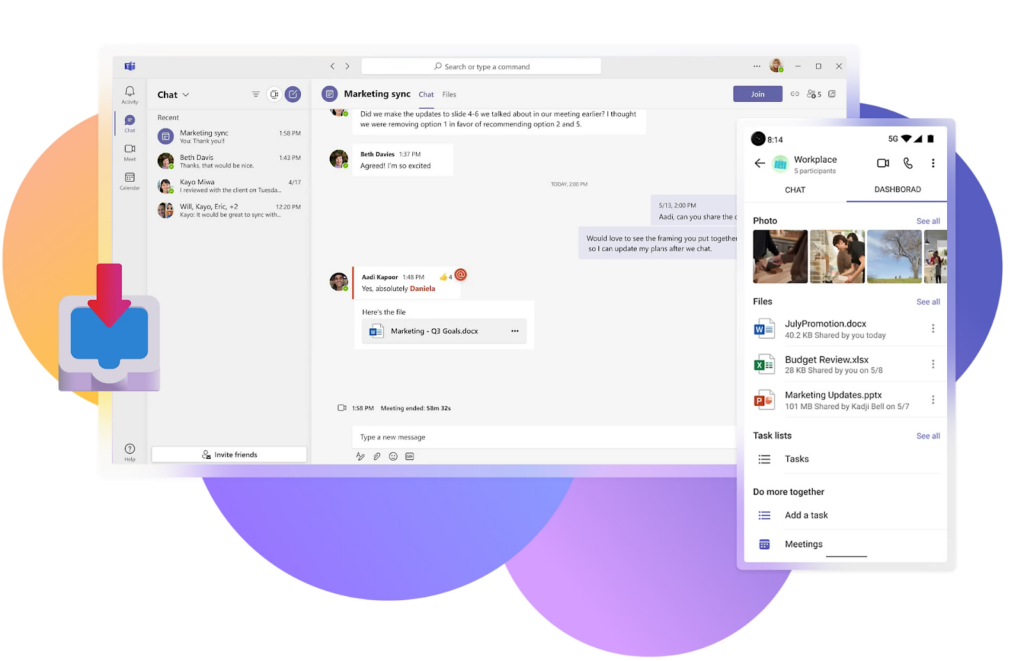
Microsoft Teams is a collaboration platform that combines chat, video meetings, file storage, and app integration in one place.
- highly customizable
- integrates into Microsoft ecosystem
- centralized team/project management
- no additional cost for 365 users
- works best with other Microsoft integrations
- depends on stable internet connection
- complex interface
Free to $12.50/user/month
3. Slack: Best for Collaborative Teams That Rely on Text Messaging
Source: Slack
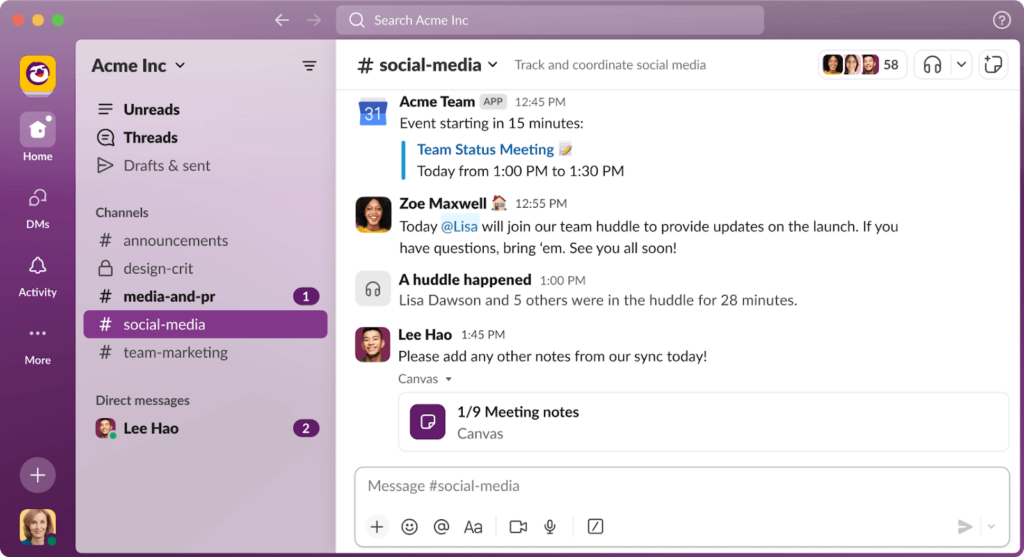
Slack is a team communication platform that offers real-time messaging, file sharing, and app integrations for streamlined collaboration.
- has a free plan
- thousands of integrations
- easy to use interface
- flexibility in use (internal comms, customer support, etc.)
- potential for message/notification overload
- paid plans get expensive
- messages get disorganized quickly
4. Asana: Best for Teams That Use Agile Project Management

Source: Asana
Asana is a project management tool that helps teams organize and track their work, set priorities, and manage tasks efficiently.
- ability to assign project deadlines and priorities
- integrations with other major platforms like Slack
- multiple ways to organize tasks (lists, calendars, timelines, etc.)
- free plan offers lots of features
- can’t assign a task to multiple users
- a lot of email notifications
- difficult to navigate via mobile app
Free to $24.99/user/month for a business plan
5. Trello: Best for Small Teams
Source: Trello
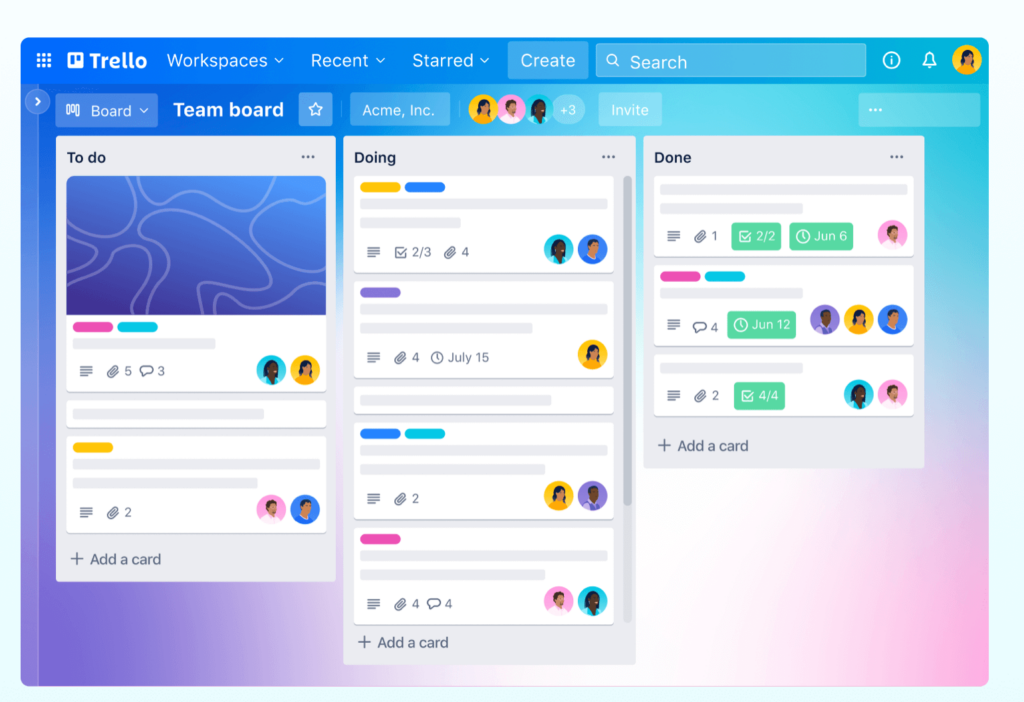
Trello is a visual collaboration tool that uses boards, lists, and cards to help teams organize and prioritize their projects and tasks.
- easy to understand and navigate visually
- Kanban system design
- responsive design and mobile-friendly
- real-time project updates
- harder to manage larger, complex projects
- difficult to get prompt customer support
- can lead to information overload and lack of clear prioritization
Free to $17.50/user/month for enterprise
6. ClickUp: Best for Process and Product Design Oriented Teams
Source: ClickUp
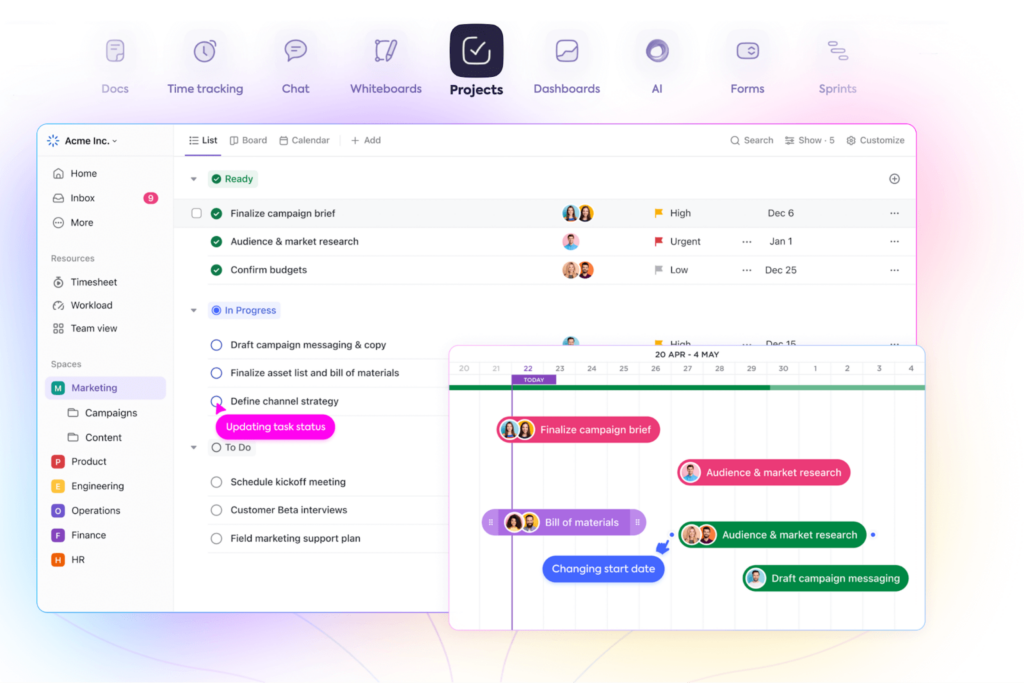
ClickUp is a comprehensive project management tool with features for task management, collaboration, and automation, suitable for businesses of all sizes.
- 15+ ways to view projects and timelines
- highly customizable
- real-time reporting on team performance
- time tracking capabilities
- limited integrations
- limited mobile functionality
- UI can get cluttered and overwhelming
Free to $12/user/month for business plans
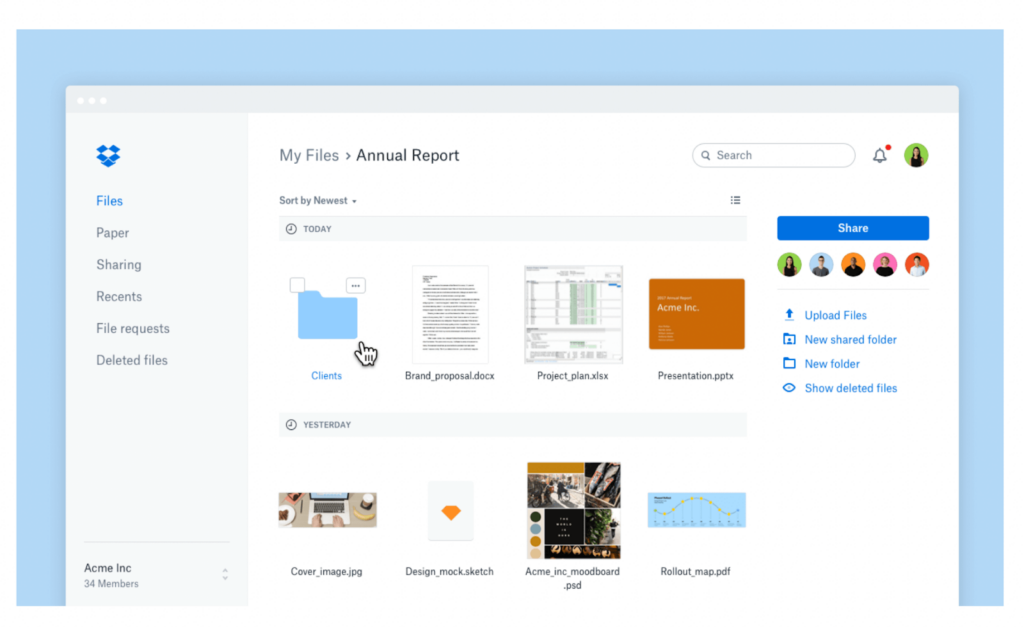
7. Dropbox: Best for Remote Teams Working On Large Files
Source: Dropbox
Dropbox is a cloud storage and file sharing platform that allows users to store, access, and share files securely across devices.
- compatible with every operating system
- multiple tools for collaborating on shared files
- digital signatures for contracts and legal docs
- large storage capabilities
- relatively small storage limit for free plan
- focused exclusively on file sharing and collaboration
- syncing process can be slow
$18/user/month for professionals
8. Google Drive: Best for Creative and Project Based Teams

Source: Google
Alt text: Screenshot of how Google Drive can be for file sharing and storage
Google Drive is a cloud-based file storage and collaboration platform that enables users to store, share, and collaborate on documents, spreadsheets, and presentations.
- generous amount of cloud storage
- robust file organization features
- real-time collaboration tools on docs, spreadsheets, and presentations
- integration with other Google services
- limited offline functionality
- potential privacy concerns for sensitive data
- not best suited for extensive storage needs
$6/user/month for Business Starter to $18/user/month for Business Plus
9. Notion: Best for Teams Focused on Knowledge and Project Management

Source: Notion
Notion is an all-in-one workspace that combines note-taking, project management, and collaboration tools, allowing teams to organize and share information effectively.
- highly customizable workspace
- real-time collaboration
- functionalities to create and manage complex databases
- task and project management features
- steep learning curve for new users
- mobile app limitations
- lack of advanced formatting tools
Free to $15/user/month for business plans
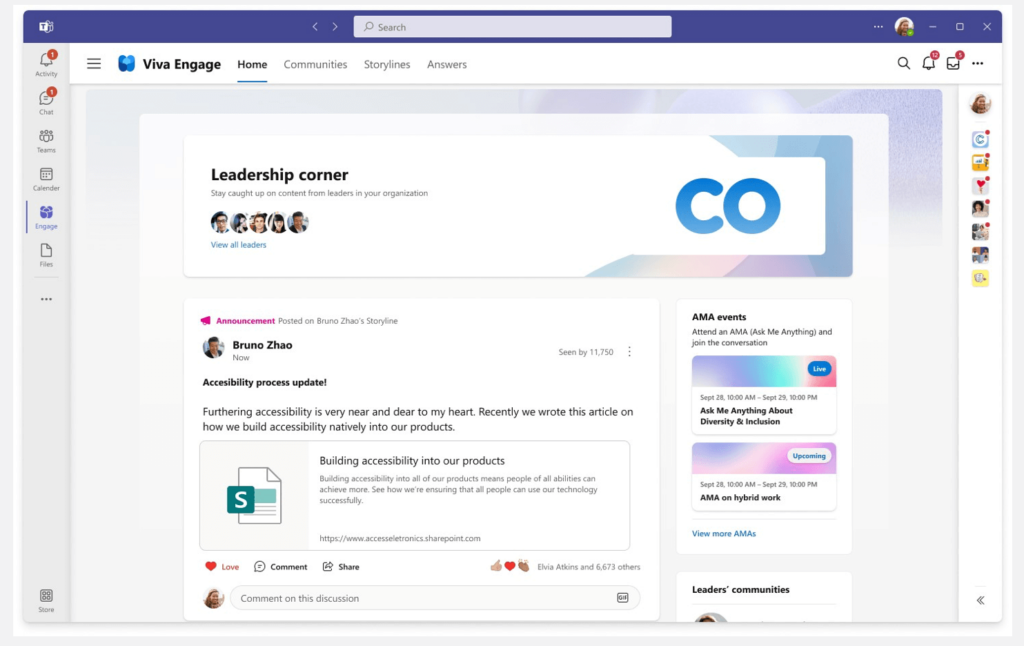
10. Viva Engage: Best for Large, Community-Focused Organizations
Source: Microsoft
Viva Engage is an enterprise social network platform that enables employees to connect, collaborate, and share knowledge within their organizations.
- news feed and activity stream
- group and community features
- document sharing and collaboration tools
- employee recognition and engagement features (likes, comments, etc.)
- limited customization options
- potential for information overload
- limited integrations outside of Microsoft 365
$5/user/month to $12.50/user/month
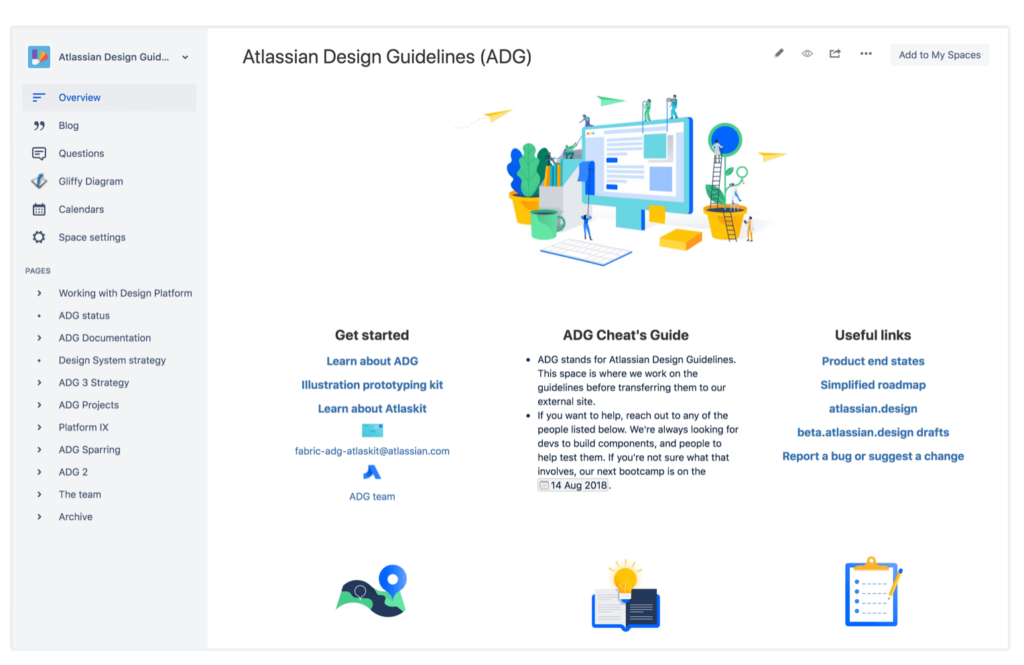
11. Confluence: Best for Remote Teams Focused on Content Creation/Management
Source: Atlassian
Confluence is a team collaboration platform that provides tools for creating, organizing, and sharing knowledge, facilitating collaboration and documentation.
- document and content creation with rich text features
- collaboration and knowledge sharing features
- page organization and structure features
- integration with a range of other tools and platforms
- steep learning curve for new users
- limited options for customization
- limited search functionality
Free to $11.55/user/month
12. Moodle: Best for Educational Institutions and Online Course Creators

Source: Software Advice
Moodle is an open-source learning management system (LMS) that allows educators to create, deliver, and manage online courses and learning materials.
- robust course creation and management features
- collaborative learning features
- highly customizable
- assessment and feedback tools
- some technical expertise required
- UI and UX can be overwhelming
- limited customer support
$120/50 users/year to $1,700/1,000 users/year
13. Bamboo HR: Best for Startups and Small to Medium Sized Businesses

Bamboo HR is a human resources software that offers features for employee data management, time tracking, performance management, and more.
- employee self service portal for HR admin tasks
- automated onboarding and offboarding
- time and attendance tracking
- performance management tools
- limited customization
- limited integrations
- reporting and analytics capabilities are relatively simple
$12/user/month to $22/user/month
14. Workday: Best for Medium to Large Sized Businesses with Scalable HR Needs

Source: Workday
Workday is a cloud-based resource planning (ERP) system that provides features for human resources, finance, and planning in one unified platform.
- core HR and payroll management
- talent management and recruitment features
- business intelligence and analytics
- integration and extensibility with 3rd party systems
- implementation is complex and time consuming
- limited integrations
- reporting and analytics capabilities are relatively simple
Free to customized pricing plans
Which is the Right Intranet App for your Business?
In addition to considering the nature of your employees’ daily tasks, it is important to acknowledge that traditional intranets may not fully meet the needs of modern employees. For example, unlike traditional intranets, Beekeeper is a modern employee app that goes beyond the traditional intranet by offering a range of features specifically designed to cater to the unique needs of frontline workers.
If you have frontline workers who are constantly on their feet and require mobile access to information and collaboration, Beekeeper is an ideal solution. It provides a user-friendly interface, robust collaboration features, integration capabilities, and mobile accessibility.
Beekeeper is especially well-suited for businesses that have frontline workers and non-desk employees. It prioritizes mobile communication and engagement for dispersed teams, allowing you to enhance internal communication, streamline collaboration, and seamlessly connect your entire workforce.
Think Beekeeper might be right for you? Learn more about our platform and pricing.
About the author
Top