Mobile Workforce: What It Is, Challenges, and Best Practices
Frontline workers have always existed outside the front page of the business section. They’ve long been the backbone of the economy, but you won’t find many think pieces or trendy stories about them. But in the post-COVID workforce, where essential workers were pivotal in maintaining the services and goods we rely on, the narrative around frontline work is changing.

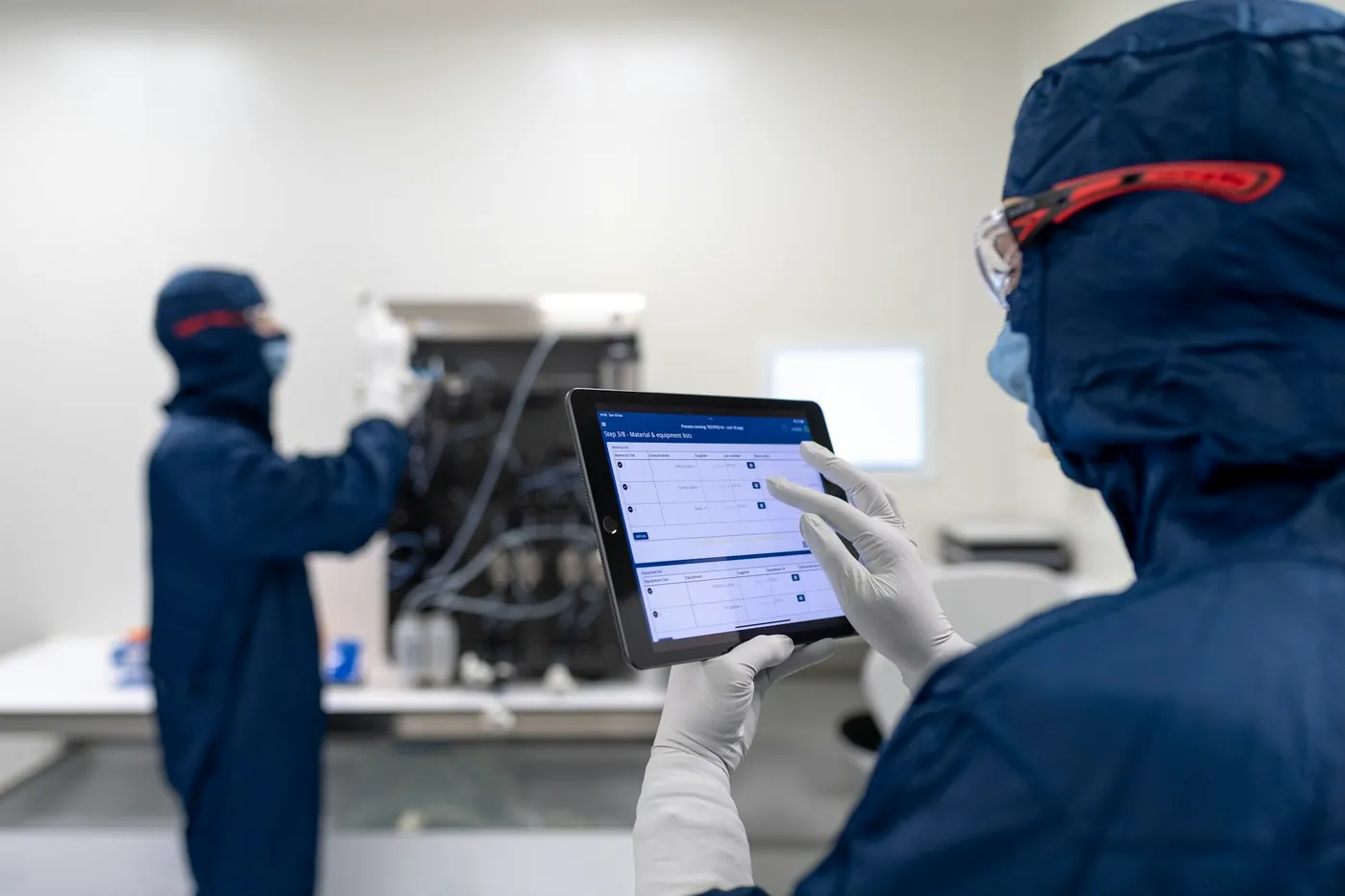
Your mobile workforce may already span store floors, job sites, production lines, healthcare facilities, customer locations, and vehicles, even if your workplace technology was designed primarily for people sitting at desks. These employees often have limited time to search across systems, navigate multiple apps, or check company email.
The scale is significant. Microsoft estimates that 2 billion frontline workers represent about 80% of the global workforce. Yet many workplace systems still require frontline and field employees to switch between separate apps for communication, schedules, policies, training, requests, and daily tasks.
A successful mobile workforce strategy connects those experiences. This guide looks at who mobile workers are, the challenges they face, mobile workforce management, best practices, software options, and how AI can make knowledge and workplace tools easier to access.
What is a mobile workforce?
A mobile workforce is a group of employees who perform much or all of their work away from a traditional desk or office. Their work may take place at a fixed frontline location, across multiple sites, at customer locations, or while moving throughout the day.
A mobile worker performs their job outside a traditional desk-based environment and often relies on smartphones, tablets, shared devices, kiosks, or specialized equipment to stay connected throughout the workday.
Mobile workers are often discussed alongside frontline and deskless employees, although the terms are not identical. A field technician who travels between customer sites is clearly mobile. A manufacturing employee may remain at one facility yet still have the same need for fast, mobile access to schedules, safety information, tasks, and company communications.
Mobile workforce management refers to the processes and technologies organizations use to coordinate their mobile employees. Depending on the organization, it can cover:
- Workforce and shift scheduling
- Time and attendance
- Employee communication
- Knowledge and document access
- Training and onboarding
- Digital forms, tasks, and workflows
- HR and IT self-service
- Performance and operational visibility
A mobile workforce management system may handle specific needs such as scheduling or timekeeping, but employees still need an accessible way to reach information, communication, and tools across the broader technology environment.
LumApps takes this broader approach through an AI Employee Hub that connects communication, knowledge, workflows, and existing workplace systems in a mobile-first experience.
Mobile workforce vs. remote workforce: What’s the difference?
Mobile, remote, and hybrid employees can all work outside a traditional corporate office, but their working conditions and technology needs differ.
| Workforce Type | Work Location | Primary Device/Tech Access | Key Operational Challenge | Primary Communication Channel |
|---|---|---|---|---|
| Mobile workforce | Stores, plants, hospitals, job sites, customer locations, vehicles, and other operational environments | Smartphones, tablets, kiosks, shared devices, or specialized equipment | Accessing information, tasks, schedules, and tools while actively working | Mobile apps, secure messaging, push notifications, and frontline hubs |
| Remote workforce | Primarily home offices or other consistent off-site locations | Laptops and full desktop software access | Maintaining collaboration, visibility, and connection across locations | Email, video meetings, chat, and collaboration platforms |
| Hybrid workforce | Combination of corporate offices and remote locations | Usually laptops plus mobile devices | Maintaining a consistent experience across office and remote days | Email, meetings, intranet, and collaboration platforms |
Mobility is the defining difference. Remote employees commonly have uninterrupted access to a computer and the same digital applications they would use from an office. Mobile workers may need an answer while serving a customer, repairing equipment, completing an inspection, or moving into their next shift.
Those differences shape how workplace technology needs to work. A six-step process that works on a laptop can become frustrating on a phone. A policy stored three folders deep may be functionally inaccessible to an employee who has two minutes to find it.
For organizations managing all three groups, a connected employee hub provides a shared digital starting point while adapting information and workflows to each employee’s role, location, device, and needs.
Examples of a mobile workforce
Mobile workforces are already a core part of many large organizations, often spanning multiple roles, locations, and operating environments. Common examples include:
- Retail associates: Employees work across sales floors, stockrooms, checkout areas, and customer service environments while accessing product information, schedules, training, and company updates.
- Manufacturing employees: Production teams need safety procedures, shift information, operational updates, checklists, and training close to where the work happens.
- Healthcare workers: Nurses, clinicians, technicians, and support staff move through facilities and may need fast access to policies, scheduling, internal resources, and team communication.
- Logistics and transportation teams: Drivers, warehouse employees, and distribution teams depend on real-time operational information across different locations.
- Construction crews: Employees work across project sites where safety guidance, forms, incident reporting, and project updates need to be available on mobile devices.
- Field technicians: Service teams travel between customer or equipment locations and need job information, technical knowledge, expert support, and workflows on the move.
- Hospitality staff: Hotel, restaurant, and venue employees need timely shift information, training, announcements, and operational guidance.
Many enterprises support mobile and desk-based employees at the same time, so both groups need a consistent way to access company information, tools, and communication.
FM Logistic, which has 27,500 employees across a distributed workforce, uses LumApps as a shared information hub connected to the organization’s other tools. The company reports 92% active users and publishes more than 1,800 content items annually across 14 languages, showing how a mobile-first employee experience can scale across regions and roles.
Common challenges facing the mobile workforce
Mobile work itself is rarely the problem. Digital friction arises when employees have to navigate technology, information, and processes that were designed around desk-based work rather than the realities of frontline and field roles.
For mobile employees, that friction can weaken the digital employee experience by making routine tasks, communication, and knowledge access harder than they need to be.
Information fragmentation across multiple systems
Policies may live in an intranet, schedules in a workforce platform, documents in Microsoft 365 or Google Workspace, requests in an HR system, and operational updates somewhere else. Employees then need to know both what they need and where the organization stores it.
For frontline teams, that extra searching can interrupt customer service, production, maintenance, or patient-facing work. Connecting enterprise systems through a common employee experience can reduce unnecessary searching without forcing you to replace systems that already perform specialized functions well.
Communication and knowledge gaps
Corporate communication channels may not consistently reach employees who lack regular access to email or a laptop. Mobile communication works better when organizations can target updates by role, location, or shift and provide employees with access to supporting policies or instructions within the same environment.
Galeries Lafayette faced this challenge across 290 stores where 75% of its 14,000 employees were deskless. By deploying a mobile-first digital hub, they connected non-wired store teams directly to corporate strategic updates, achieving 7,800 active monthly users and 45% mobile adoption.
Limited access to tools and resources
Frontline employees still need access to HR services, IT support, training, forms, and operational tools, but those resources are often designed around desktop workflows. Mobile access should make routine tasks practical to complete from the device an employee already uses.
LumApps, for example, can connect employees to external systems such as Workday, ADP, and UKG through embedded Micro-Apps while supporting access methods that do not require every frontline employee to have a corporate email address.
Scheduling and operational coordination
Schedules change. Employees call out, shifts need coverage, tasks move between teams, and managers need to know whether work was completed. Dedicated workforce management platforms remain important for complex labor planning.
Mobile workforce scheduling software can manage shifts and labor requirements, while the broader employee experience should make schedules and related actions easy to access alongside communication, knowledge, and daily workflows.
Employee engagement and connection
Mobile employees can become disconnected from broader company communication and culture when key updates primarily reach headquarters. Two-way communication, communities, recognition, surveys, and mobile learning give frontline employees more ways to participate and help organizations maintain alignment across locations.
They also give managers and communications teams a clearer view of what employees are seeing, asking, and experiencing.
Best practices for supporting a mobile workforce
Strong mobile workforce best practices start with the employee’s working environment. A mobile strategy should reduce the number of places employees need to visit and make important information easier to act on.
Connect employees through a mobile-first employee hub
Give employees a consistent starting point for work rather than a collection of unrelated applications. A mobile hub can bring together company updates, schedules, learning, forms, tasks, HR resources, people, and knowledge while linking back to specialized enterprise systems where needed.
Mobile-first design also involves accounting for real frontline constraints, including:
- Limited screen space
- Short periods of availability
- Shared devices
- Varying connectivity
- Employees without corporate email addresses
Centralize communication and knowledge
Centralizing the employee experience does not require moving every document into one repository. Connect the systems where information already lives, establish clear ownership for important resources, and make that knowledge searchable from a common starting point.
AI-powered enterprise search can make this especially useful for mobile teams because employees can search by question or intent rather than navigating organizational structures.
LumApps combines targeted communication with knowledge discovery so an employee can move from an update to the related document, procedure, expert, or action without starting another search elsewhere.
Give managers better visibility
Frontline managers often serve as the link between corporate teams and employees working across stores, facilities, and job sites. They need enough visibility to coordinate daily work, reinforce important updates, and respond when employees need support. This includes:
- Whether critical communications were received
- Task and checklist completion
- Engagement with required content
- Employee questions and feedback
- Training participation
- Workflow status and outstanding actions
Deliver personalized information and guidance
A plant employee in Texas and a retail associate in France can each receive information tailored to their role, location, and day-to-day needs. Use factors such as role, location, department, language, and interests to tailor what each person sees.
Personalization can reduce information overload while giving employees clearer access to the policies, updates, learning, and tools connected to their work.
Measure and continuously improve the employee experience
Measure whether your mobile experience is being used and whether it is improving the work you intended to improve. Focus on a small set of metrics tied to access, engagement, efficiency, and operational performance.
Track areas such as:
- Adoption: Active users, repeat visits, and mobile app usage.
- Communication: Reach, views, and engagement with key updates.
- Knowledge access: Search success, common queries, and content usage.
- Workflow completion: Forms, tasks, approvals, and training completion.
- Efficiency: Time spent finding information or completing routine work.
- Employee feedback: Survey, poll, and qualitative feedback trends.
- Business outcomes: Productivity, service quality, safety, retention, or task completion.
Prioritize the indicators most closely tied to the business problem you are addressing, then track them consistently over time.
Top mobile workforce management solutions and software
The right mobile workforce management solutions depend on the work your employees need to complete. Most enterprises use multiple mobile workforce management tools rather than expecting a single platform to handle scheduling, HR, communication, knowledge, collaboration, and employee services equally well.
LumApps
Category: AI-powered employee hub
Best for: Organizations that want one employee-facing experience across frontline and desk-based work without replacing their existing HR, IT, productivity, or workforce systems.
LumApps connects frontline and desk-based employees through a mobile-first employee experience that brings communication, knowledge, tasks, workflows, learning, and business applications together. The LumApps mobile app supports targeted updates, secure chat, digital forms, tasks, AI-powered answers, learning, and access to business systems, with experiences tailored by factors such as role, location, or shift.
Rather than replacing systems such as Workday, UKG, or ServiceNow, LumApps can connect employees to those systems through one employee-facing experience.
Microsoft Teams
Category: Collaboration platform
Best for: Organizations already standardized on Microsoft 365 that primarily need communication and collaboration tools for distributed teams.
Microsoft Teams combines chat, meetings, channels, tasks, and frontline features such as Shifts and Walkie Talkie within the Microsoft 365 ecosystem. Its frontline tools can help employees manage schedules, communicate with coworkers, track tasks, and access collaboration features from mobile devices.
Workday
Category: Workforce management and HR platform
Best for: Organizations that want workforce planning and scheduling closely connected to employee records, HR operations, and broader human capital management.
Workday supports HR, workforce data, scheduling, availability, shift management, and other workforce processes. Its scheduling tools can help organizations match worker availability and preferences with labor demand while giving employees mobile access to schedules, open shifts, and shift changes.
UKG
Category: Workforce management platform
Best for: Organizations with large hourly or shift-based workforces that need deeper labor scheduling, timekeeping, and staffing controls.
UKG provides workforce scheduling, time and attendance, staffing visibility, forecasting, and mobile workforce management capabilities. Its tools are designed to help organizations coordinate labor demand, employee availability, schedules, and timekeeping across distributed or shift-based teams.
ServiceNow
Category: Employee service management platform
Best for: Organizations focused on giving employees a central place to access internal services, submit requests, and complete cross-department workflows.
ServiceNow connects employees with service requests, knowledge, tasks, and workflows across departments such as IT and HR. Its employee service tools provide a central access point for finding information, requesting support, and completing common service-related tasks across enterprise functions.
Key takeaway: These platforms address different parts of mobile workforce management. Scheduling, HR, collaboration, and service platforms can manage their specialized functions, while an employee hub such as LumApps connects employees to information, communication, and workflows across them.
How AI is improving the mobile workforce
AI becomes useful to mobile employees when it removes steps from real work. A frontline employee has little benefit from an AI tool that requires opening another application and reconstructing the context of a task.
Faster knowledge discovery
AI-powered search can help employees find answers across connected enterprise sources using natural-language questions. Instead of navigating folders for a safety policy, an employee can ask for the current procedure and receive guidance based on approved company information.
AI-powered search and employee guidance
Finding an answer is often only one step in the process. LumApps can connect employees from the information they find to a related form, workflow, expert, or business application, helping them move from question to action within the same employee experience.
Personalized communications
AI can support more relevant communication by helping organizations tailor information to employee needs and reduce unnecessary noise. Combined with audience targeting, mobile delivery, and employee data, this can help your teams deliver updates that are more relevant to each employee’s role and location.
Summarizing important updates
Mobile employees may return from time off or move between busy shifts with several important updates waiting for them. AI-generated summaries can help them identify important developments and required actions faster. LumApps supports frontline scenarios such as summarizing missed updates and finding answers across standard operating procedures within the flow of work.
Connecting employees with experts
Some questions require human expertise. AI-assisted knowledge discovery can help employees identify the people and communities connected to a subject, linking documented information with the expertise of coworkers.
Support your mobile workforce with LumApps
A strong mobile workforce strategy gives employees a consistent way to stay informed, find answers, and complete everyday work wherever their role takes them.
LumApps brings that experience together through an AI Employee Hub built for frontline, remote, and desk-based employees. By connecting communication, knowledge, AI guidance, and existing enterprise applications, you can make workplace resources easier to reach while preserving the specialized systems your organization already relies on.
Explore how LumApps supports the frontline employee experience, or watch a video demo to see the AI Employee Hub in action.
FAQ: Mobile workforce
What is mobile workforce management?
Mobile workforce management is the combination of processes and technologies used to coordinate employees who work away from traditional desks. It can include scheduling, time and attendance, communication, task management, knowledge access, training, workflows, and employee services.
How can organizations improve frontline communication?
Use mobile-first channels that fit frontline working conditions. Target information by role, location, or shift; support two-way communication; provide secure messaging; and connect communications to the related knowledge or actions employees may need next.
What solutions help centralize workplace communication and productivity tools?
An employee hub can provide a central entry point for communication, knowledge, tasks, workflows, and integrated workplace applications. For enterprises with several existing systems, look for a platform that connects those tools rather than creating another isolated destination.
Which platforms provide a central hub for workplace communication and productivity tools?
LumApps provides an AI Employee Hub that connects communications, knowledge, workflows, learning, and existing enterprise applications. Other platforms address related needs, including Microsoft Teams for collaboration, Workday and UKG for workforce and HR processes, and ServiceNow for employee service management.
What should organizations look for in mobile workforce management software?
Look for mobile workforce management software that fits your employees’ actual work environment. Consider mobile usability, integration with existing systems, secure access, communication, search and knowledge discovery, scheduling requirements, personalization, workflow support, analytics, governance, and support for employees who lack regular corporate email or desktop access.