Construction

Bring plans, crews, and work together

From the job site to the office, give every employee one place to access plans, updates, and workflows. Keep teams coordinated as work progresses so projects stay on time and on budget.
Request a demo
Watch a demo
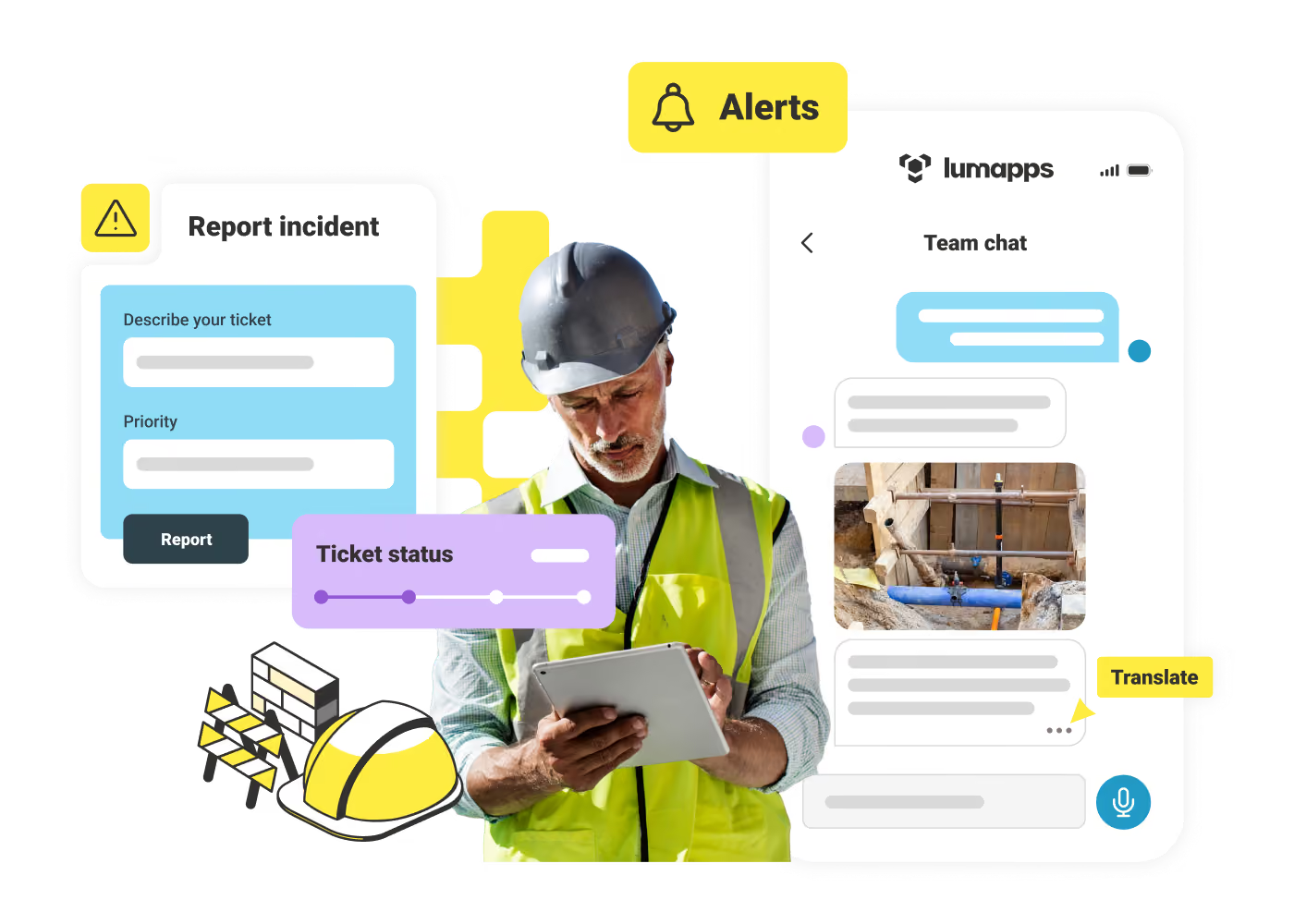
Construction worker in helmet and vest using tablet with incident report, ticket status, and team chat overlays.
Improve safety
Improve safety
Digitize training, SOPs, and incident reporting to improve safety and support compliance.
Reduce project delays
Avoid costly overruns with real-time access to relevant project updates and schedules.
Align field and HQ
Align field and HQ
Keep crews and project teams aligned with a single place for daily communications, team alignment huddles, and timely decisions.
Access on the go
Access on the go
Make daily work easier with one hub employees can access from any device, in their preferred language.
Keep crews staffed
Keep crews staffed
Retain skilled workers with built-in recognition tools and easy ways to coordinate and swap shifts.
Cut paperwork
Cut paperwork
Replace paper forms with digital workflows that can be completed in the field.
Construction worker in orange vest using phone with AI-powered chat translation interface nearby.

Stay aligned on priorities across every site and team

Send targeted updates tied to a site, role, or crew. Employees can log in from desktop or mobile, even without a company email, and see content in their preferred language. Two-way feedback gives HQ real-time insight from the field.
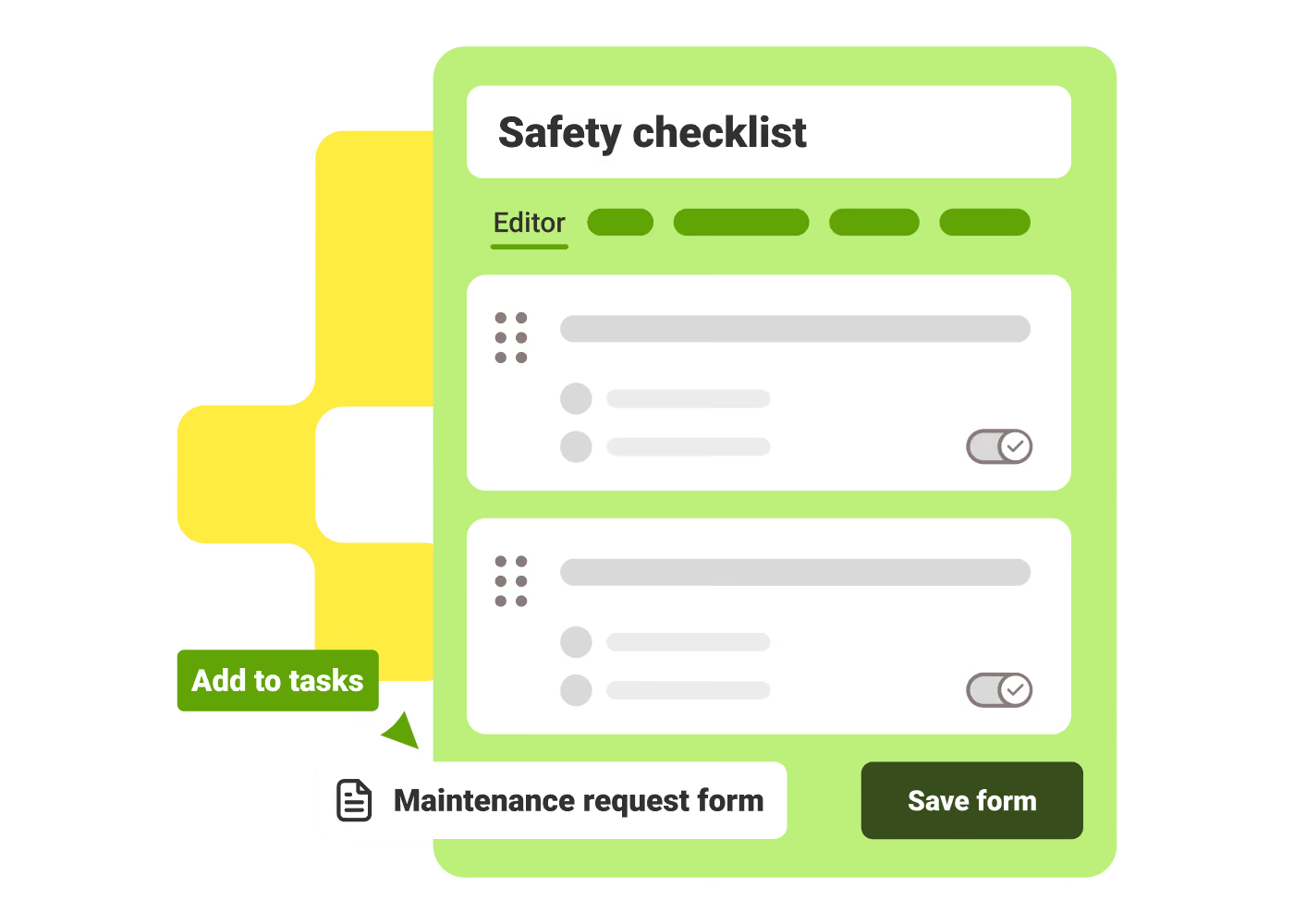
Green safety checklist form interface with task items, toggles, and buttons to add tasks or save form.

Complete projects without chasing updates

Digitize inspections, daily logs, and safety checks into workflows your team can complete from any device. Approvals are routed automatically, so supervisors can easily track progress, spot issues, and ensure compliance.

Construction worker in safety vest and helmet holding a tablet and talking on the phone.

Build skills and keep every project fully staffed

Simplify onboarding to help your teams learn and grow. Easily check their knowledge, recognize great work with built-in tools, and let employees refer trusted people in just a few clicks to fill open roles faster.
Andy Larrañaga
"LumApps has been a game-changer. We've been able to digitize many frontline workflows, including equipment inspections. It's helped us cut tractor inspection times by 50%."
Andy Larrañaga
,
Craft Communications Specialist
at
Mortenson Construction
Fabrice Gitton
"Our challenge was to offer a practical, enjoyable, high-performance tool, but also to connect our employees and bring them together in communities. For us, this is the real strength of LumApps."
Fabrice Gitton
,
Internal Communications and Employer Brand Manager
at
Kaufman & Broad
Tamara Palmer
"We needed a communication solution that fit our dispersed, crew-centric culture and could keep our frontline workers informed. In just six months, we achieved 80% voluntary adoption, and within a year, adoption soared to 98%."
Tamara Palmer
,
Internal Communications Manager
at
Flagger Force

Get a personalized demo of the AI Employee Hub — built around how your teams actually work.
Request a demo
Watch a video demo
Illustration of a female customer service agent with headset, calendar, and notification bell.
Button Text

From our experts and community

Visit Resource Center
September 22, 2026
4 Trends that Will Transform the Digital Workspace Landscape in 2022
Blog Post
4 Trends that Will Transform the Digital Workspace Landscape in 2022
Resource Card
September 22, 2026
Top Benefits of Mobile Workforce Management Software for Frontline Workers
Blog Post
Top Benefits of Mobile Workforce Management Software for Frontline Workers
Resource Card
September 22, 2026
Two cafe workers in white shirts and brown aprons looking at a phone and smiling.
Blog Post
Employee Referral Program Ideas: Fill Open Positions Faster
Resource Card
Two coworkers talking in an office with one taking notes and another wearing headphones around neck.
Checklist
Is Your Intranet Working? Free Legacy Intranet Checklist
Resource Card
May 29, 2026
Four construction workers in safety gear smiling with orange geometric overlay and checklist icon.
Checklist
How to improve communication and compliance on every job site
Resource Card
September 9, 2026
Event readiness timeline planner
Checklist
Event readiness timeline planner
Resource Card
May 21, 2026
The essential HR checklist for healthcare teams
Checklist
The essential HR checklist for healthcare teams
Resource Card
May 21, 2026
Modern office with a group meeting around a table and one woman sitting on a black chair using a laptop.
Checklist
Internal Communication Strategy
Resource Card
May 26, 2026
Smiling woman in white shirt holding an open sign in a bright coffee shop setting.
Checklist
Must-Have Features for Retailers
Resource Card
May 26, 2026
Two construction workers with helmets, one using a walkie-talkie, the other checking a tablet.
Checklist
Modernizing Communications with Frontline Employees
Resource Card
May 26, 2026
Smiling woman with earbuds uses laptop and holds smartphone at wooden table with coffee cup.
Checklist
Hybrid Work Checklist
Resource Card
July 31, 2026
Smiling man in glasses and checkered shirt working on a laptop at a bright home office desk.
Checklist
Data Driven Employee Experience: The IT Leader's To-Do List for Mastering Analytics
Resource Card
August 12, 2026
Two men fist bumping across a table with laptops, notebooks, and coffee cups in a casual workspace.
Checklist
6 ways to improve collaboration with an intranet
Resource Card
May 26, 2026
Four colleagues engaged in a lively discussion holding papers and notebooks near a laptop and window.
Checklist
7 steps to build the business case for an intranet
Resource Card
May 26, 2026
Three coworkers smiling and discussing work in a modern office with a wooden wall background.
Checklist
Battle of the Intranets: Meta Workplace vs LumApps
Resource Card
May 26, 2026
Man working on laptop at a wooden desk with another laptop, mouse, phone, and coffee mug nearby.
Checklist
Is your SharePoint intranet truly meeting your team’s needs?
Resource Card
May 11, 2026