
SharePoint + Intranet : Integrate it with LumApps
A powerful combination of SharePoint's robust document management capabilities with LumApps' engaging intranet platform.


Harness the Power of a Leading-Edge Collaborative Intranet Solution
The integration of SharePoint with LumApps stands as an innovative beacon for corporate modern intranets. This powerful combination leverages SharePoint's robust document management and intranet capabilities with LumApps' engaging employee experience platform, for a unified digital workspace that fosters collaboration, communication, and productivity across organizations.
LumApps ist integriert in:
.avif)







.svg.png)













Erstellen Sie Ihre eigenen benutzerdefinierten Integrationen mit dem LumApps SDK
Jede Organisation hat spezifische Integrationsanforderungen. Wir stellen Ihren IT-Teams und bevorzugten Beratungspartnern ein einfach zu bedienendes, flexibles und sicheres Toolset zur Verfügung, mit dem sie spezielle Mikro-Apps, Widgets und Erweiterungen für Drittanbietersysteme erstellen können.
- Bessere Mitarbeiterservices auch mit begrenzter Zeit und begrenztem Budget
- Keine Kompromisse bei Vertrauen und Sicherheit
- Einhaltung Ihres Plattformstils
LumApps x Sharepoint Integration: Enhancing Collaboration
SharePoint’s Core Functionalities
Microsoft SharePoint is a leading product in the Microsoft suite and includes Office 365 and Dynamics 365 to create a collaborative platform that improves document management, intranet projects, and team coordination. Its versatility allows for the creation of communication sites, team sites, and enterprise portals, each designed to streamline internal communications and improve team collaboration. With SharePoint Online, users enjoy the added flexibility of cloud computing with access to SharePoint documents and sites anytime, anywhere.
However, when it comes to using SharePoint as an intranet, Microsoft's tool shows a lack of flexibility compared to competition, despite its robust features and capability. Today, employees and managers look for more than a simple document management platform : a modern intranet platform concentrates many assets and features such as employee experience features, internal communication platform, digital assistant, employee companion... SharePoint seems therefore unadapted, compared to a platform such as LumApps. Therefore, rather than seeing it as a competitor, we can see them as complements.
LumApps' intranet integration with SharePoint: A Seamless Digital Workplace Integration
The integration of SharePoint with LumApps transforms the traditional concept of corporate intranets into intelligent intranets that are more dynamic, personalized, and engaging. This strategic alliance brings together the document management prowess of SharePoint with the sophisticated communication and engagement features of LumApps, creating an inclusive and interactive digital workplace.
Key Integration Highlights - SharePoint integration with intranet
Unified Access to Information
Employees can easily access SharePoint documents, libraries, and team sites directly within the LumApps platform, ensuring that vital information and resources are readily available to all team members, thereby improving productivity and collaboration.
Customizable Intranet Solutions
The integration offers a range of SharePoint intranet templates and examples that can be customized to meet the unique needs of any organization. This flexibility allows companies to create a personalized intranet experience that aligns with their corporate culture and objectives.
Advanced Search Functions
LumApps enhances SharePoint's search capabilities by providing users with powerful search functions that quickly locate documents, information, and experts within the organization. This feature is crucial for large enterprises where information is vast and varied.
Integrated Communication Platforms
The seamless integration with Microsoft Teams and Dynamics 365 within the LumApps platform encourages smoother collaboration and communication among team members. This convergence of tools creates a more coherent and efficient workflow, enabling teams to stay connected and informed.
Enhanced Employee Experience
By combining the LumApps' employee experience platform with SharePoint, organizations can deliver tailored content, company news, and personalized experiences to their employees. This approach not only improves internal communications but also boosts employee engagement and satisfaction.
Implementing the SharePoint Intranet Integration
For IT specialists tasked with deploying the LumApps x SharePoint integration, the process involves strategic planning and execution to ensure a smooth and effective transition.
This includes mapping out the organization's intranet structure, defining user permissions, and customizing the intranet design to reflect the company's branding. Additionally, the integration process must consider the organization's existing workflows and how they can be optimized within the new digital workplace.
Leveraging the Integration for Maximum Impact
To maximize the benefits of the LumApps and SharePoint integration, organizations should:
Encourage Adoption
Drive user adoption through comprehensive training and support, helping employees navigate the new platform and utilize its full range of features effectively.
Foster Collaboration
Utilize SharePoint's team sites and communication sites within LumApps to improve project collaboration and team interactions, ensuring that all members are engaged and on the same page.
Streamline Processes
Automate workflows and processes using SharePoint's document libraries and LumApps' digital workplace solutions to reduce manual tasks and improve efficiency.
Measure Success
Utilize analytics and feedback tools within LumApps to measure engagement, identify areas for improvement, and optimize the company intranet platform for better performance and user satisfaction.
Why is LumApps a better choice than SharePoint when it comes to intranet solutions?
There are several reasons why LumApps is a preferred choice over SharePoint for intranet setups, hence our recognition as a leader in the Gartner Magic Quadrant for Intranet Packaged Solutions. Here's why:
Enhanced User Experience and Customization
LumApps excels in providing a highly intuitive and engaging user experience, which is essential for modern intranets. Unlike SharePoint, which primarily focuses on content management and collaboration, LumApps offers a comprehensive employee experience platform. It delivers personalized content, tailored communication channels, and a social intranet experience that SharePoint alone cannot provide. The platform's emphasis on design and customization allows companies to create a unique digital workplace that reflects their culture and meets their specific needs, creating a stronger sense of community and belonging among employees.
Seamless Integration with a Broad Range of Tools
While SharePoint integrates well within the Microsoft ecosystem, LumApps offers broader integration capabilities, particularly for organizations utilizing a mix of cloud services and tools. LumApps seamlessly integrates with not only Microsoft 365 (including SharePoint) but also Google Workspace, and other third-party applications. This flexibility ensures that businesses can create a unified digital workplace hub, bringing together all their tools and applications in one accessible and cohesive platform, enhancing productivity and simplifying workflows.
Superior Communication and Engagement Features
LumApps stands out thanks to its advanced communication and engagement features, designed to improve internal communications and employee engagement. The platform supports targeted communications, allowing organizations to deliver relevant content to specific groups or individuals to ensure that information is both meaningful and engaging. Additionally, LumApps includes social features that encourage interaction and feedback, such as likes, comments, and shares, promoting a more interactive and collaborative company culture. These features go beyond SharePoint's capabilities, which are more focused on document management and collaboration rather than fostering a vibrant and engaged workplace community.
Recognized Leadership in Intranet Solutions
LumApps has been recognized as a leader in the Gartner Magic Quadrant for Intranet Packaged Solutions due to its comprehensive and innovative approach to intranet solutions. Gartner's recognition stems from LumApps' ability to combine communication, collaboration, and engagement into a single platform, effectively addressing the diverse needs of modern organizations. The platform's user-friendly design, extensive customization options, and robust integration capabilities set it apart from competitors, including SharePoint. LumApps' commitment to continuous improvement and its ability to anticipate and incorporate evolving digital workplace trends have also contributed to its leadership position.
Conclusion
In summary, LumApps offers a more holistic and user-centric approach to intranet setup than SharePoint, making it a better choice for organizations looking to build a modern digital workplace. As a cutting-edge tool focussed on customization, integration, communication, and engagement, coupled with its recognition as a leader by Gartner, LumApps is the go-to for organisations after an innovative and effective intranet solution that meets the evolving needs of businesses and their employees.
The integration of LumApps with SharePoint represents a significant advancement in the evolution of the digital workplace, providing a comprehensive solution that enhances document management, fosters team collaboration, and improves the employee experience.
For organizations aiming to stay at the forefront of digital transformation, this integration offers a strategic pathway to achieving a more connected, productive, and engaged workforce. IT specialists play a crucial role in implementing this integrated solution, driving digital innovation, and shaping the future of work within their organizations.
Wir haben die LumApps-Integration für unsere Digital Signage-Plattform mit dem LumApps SDK in weniger als 15 Tagen entwickelt. Diese Integration ermöglicht es unseren gemeinsamen Kunden, die neuesten Nachrichten von der LumApps-Plattform automatisch auf die Signage-Bildschirme weltweit zu übertragen

Benjamín Gauthier
Geschäftsführer, Comeen
Für einen globalen Luxuskonzern, der mit LumApps ausgestattet ist, entwickelten wir in weniger als 15 Tagen und ohne Vorkenntnisse über das LumApps-Produkt 3 Widgets, die auf ihren LumApps-Seiten und offenen Positionen erscheinen, wie in ihrem firmeneigenen HRIS beschrieben.

Vince Moline
Projektleiter, Ecocea
Das LumApps SDK gibt uns die Möglichkeit, für eine Integration schnell vom Konzept zur Bereitstellung zu gelangen. Insgesamt ermöglicht uns die Qualität des SDK, LumApps um umfangreiche Funktionen zu erweitern, die sich wie plattformeigene Funktionen anfühlen und sich auch so verhalten

John Reynolds
VP Technologie, Social Edge-Beratung
Warum Google Workspace + LumApps?
- Nahtlose Integration: Als Google Premier Partner bieten wir eine tiefe Integration in Gmail, Docs, Drive und andere Google-Apps.
- Höhere Produktivität: Veröffentlichen Sie Inhalte mit einem Klick direkt aus Google Docs im LumApps-Intranet.
- Bessere Kommunikation: Teilen Sie Unternehmensnews direkt in den Kanälen, die Ihre Teams zur täglichen Arbeit nutzen.
- Cloud-Native: LumApps läuft auf der Google Cloud und kann einfach über den Google Cloud Marketplace bezogen werden.
- Schneller Start: Dank der nativen Architektur ist Ihr neues Intranet im Handumdrehen einsatzbereit.


Die wichtigsten Funktionen
- Intelligentes Content Management: Erstellen Sie Google-Dokumente und binden Sie diese direkt in Ihren Intranet-Seiten ein.
- Zentrale Kommunikation: Bündeln Sie News, Updates und Richtlinien auf einer Plattform.
- Einfache Zusammenarbeit: Nutzen Sie die Stärken von Google Workspace, um Engagement und Kollaboration zu fördern.
- Automatisierte Verwaltung: Synchronisieren Sie User und Gruppen direkt über Google Cloud Identity.
- Verbesserte Suchfunktion: Mit der Vertex AI und Gemini Enterprise, finden Sie alle Informationen sofort im Intranet.

Basiert auf der Google Cloud Platform (GCP). Verfügbar im Marketplace
Nutzen Sie Ihre bestehendes Google Cloud Credits, um LumApps einfach und compliant zu erwerben.
Aus über 1.000 Apps im Marketplace wird LumApps regelmäßig als „Recommended for Google Workspace“ gelistet. Wir blicken auf eine lange Geschichte starker Partnerschaften mit Google zurück, um Integrationen zu liefern, die Mitarbeitende produktiver machen.
Rich Google Integrations

Gmail

Google Drive

Google Calendar

Google Cloud

Google Chat

Gemini Enterprise
Häufige Fragen zu LumApps und Google Workspace (FAQ)
Finden Sie Antworten auf typische Fragen zu unseren Intranet-Lösungen und Funktionen.
Warum wird LumApps als Partner für Google Workspace empfohlen?
LumApps bietet leistungsstarke Integrationen in Google Workspace, die die Zusammenarbeit und das Teilen von Wissen in Ihrem Unternehmen deutlich verbessern.
Warum ist LumApps das beste Intranet für Google Workspace?
Google ist Teil unserer DNA: LumApps wurde ursprünglich für Unternehmen entwickelt, die sich von Legacy-Systemen verabschieden und eine Intranet-Lösung für ihre moderne Cloud-Strategie suchten. Die Kombination aus LumApps und Google Workspace schafft einen flexiblen, leistungsstarken digitalen Arbeitsplatz.
LumApps ist bereits seit 2016 die empfohlene Intranet-Lösung für Google und seit 2020 im Google Cloud Marketplace (GCP) gelistet. Für unseren innovativen Ansatz wurden wir unter anderem als Technology Partner of the Year in der Kategorie Collaboration & Productivity ausgezeichnet. Im Jahr 2023 sicherte sich LumApps im zweiten Jahr in Folge einen Platz im Google Workspace Programm und erreichte den Status als Built Premium Partner.
Branchenführer vertrauen auf diese Integration, um ihre digitale Arbeitsumgebung zukunftssicher zu gestalten. Mit LumApps verbinden Sie modernste Technologie mit einer intuitiven Employee Experience. Ihr digitales Ökosystem ist skalierbar und vernetzt alle Apps sowie Teams nahtlos.
Was ist ein Google-basiertes Intranet?
Ein Google-basiertes Intranet ist eine digitale Plattform, die alle klassischen Intranet-Funktionen bietet und sich gleichzeitig nahtlos in die Google Workspace-Tools Ihres Unternehmens integriert – einschließlich Google Meet, Sheets und Drive.
Wie wird ein Intranet in Google Workspace integriert?
Wählen Sie zunächst die Google-Tools aus, die für Ihre Organisation am wichtigsten sind, dann starten Sie mit diesen Integrationen. Wenn die Plattform wächst, können Sie schrittweise weitere Funktionen hinzufügen, bis die Anforderungen jedes Teams und jeder Abteilung abgedeckt sind.
Was sind die Vorteile der Integration von LumApps und Google Workspace?
Die Kombination von LumApps und Google Workspace bietet Ihnen Funktionen, die die Effizienz steigern und Ihre Teams produktiver machen.
Sie schaffen ein Intranet, in dem Dateizugriff und Datenmanagement zentralisiert sind. Gewähren Sie Ihren Mitarbeitenden über das Intranet-Portal einfachen Zugriff auf Google Sites. Oder erstellen Sie Google-Kalender-Events direkt aus LumApps heraus, um alle Teammitglieder über anstehende Termine auf dem Laufenden zu halten. So bündeln Sie Ressourcen, fördern die Zusammenarbeit und holen das Maximum aus Ihren Systemen heraus.
Was sind die wichtigsten Funktionen, wenn LumApps und Google Workspace kombiniert werden?
Verbessern Sie Ihre interne Kommunikation, indem Sie Unternehmensnews, Updates und Richtlinien in einem zentralen Employee Hub bündeln. Nutzen Sie die kollaborativen Stärken von Google Workspace, um Prozesse zu verschlanken und das Engagement zu steigern:
- Sicherer Zugriff auf die Plattform und alle Ressourcen.
- Google Workspace-Dokumente direkt im Kontext erstellen und in der Vorschau anzeigen.
- Dokumente schnell über die LumApps-Suche finden.
- Nahtlose Interaktion mit dem Google-Kalender.
- Google-Dokumente unkompliziert als News oder Artikel auf Ihrer Intranet-Seite veröffentlichen.
Brauchen wir noch ein Intranet, wenn wir bereits Google Workspace nutzen?
Ja. Google Workspace ist ein leistungsstarkes Tool für die Produktivität, aber ein Intranet ist entscheidend, um Wissen zentral zu strukturieren und eine 360-Grad-Zusammenarbeit über alle Teams hinweg zu ermöglichen. Ein Google-basiertes Intranet hilft Ihrem Unternehmen dabei, die Investitionen in Google Workspace voll auszuschöpfen. Hier erfahren Sie weitere Gründe für den Aufbau eines Google-basierten Intranets.
Warum solltest du LumApps wählen, um deine Microsoft-365-Landschaft zu verbessern
Die Entscheidung eines Unternehmens, in seine Mitarbeiter und deren Erfahrungen am Arbeitsplatz zu investieren, schafft einen hohen und dauerhaften Wert. Richtiges Onboarding, transparente Kommunikation, Förderung von Kultur und Gemeinschaft und die Steuerung der täglichen Aktivitäten können den Unterschied zwischen einem produktiven, glücklichen Mitarbeiter und einem, der ohne wirklichen Einsatz arbeitet oder das Unternehmen verlässt, ausmachen. LumApps steigert den Wert deiner Microsoft-Investition durch Integrationen, die für eine erhöhte Nutzung wertvoller Investitionen sorgen.


Das Beste aus beiden Welten
Mit LumApps als deine Plattform für Mitarbeitererfahrungen und der engen Integration der Microsoft 365 Collaborative Suite bietest du deinem Unternehmen das Beste aus beiden Welten. Bringe Integrationen in einen genauen Kontext und nutze dabei die pixelgenauen Designfunktionen von LumApps, damit sich alle Mitarbeiter in deinem digitalen Hauptquartier wohlfühlen.
Biete eine inspirierende digitale Erfahrung
LumApps bietet vom ersten Tag an eine differenzierte und angenehme Erfahrung für alle Mitarbeiter, im Büro und für jene, die „praktisch“ tätig sind. Garantiere praktisch tätigen Mitarbeitern den Zugriff auf aktuelle Informationen, auch ohne Microsoft-365-Lizenz, durch markengeschützte mobile Anwendungen, die ihnen profilbasiertes Wissen und Informationen an die Hand geben.

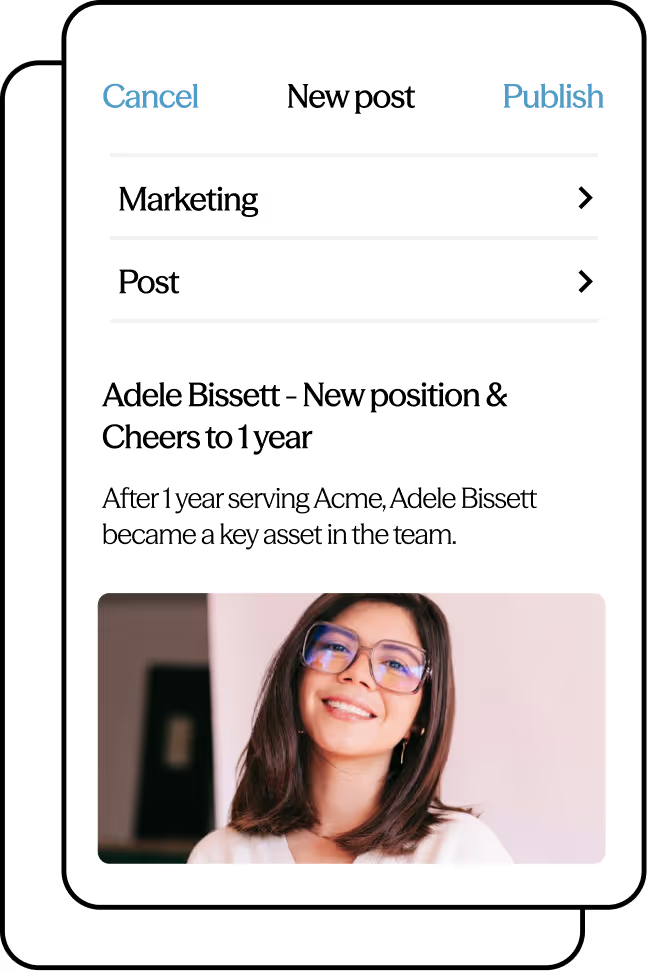
Schätze deine Mitarbeiter wert
Mitarbeiter, die sich angesprochen fühlen, glauben, dass in ihre Erfahrungen investiert wird und dass ihre Zeit und Arbeit wertgeschätzt werden. LumApps ist eine Investition in deine Mitarbeitererfahrung, die danach strebt, die Bedürfnisse und Erwartungen eines Unternehmens mit einer markenbezogenen und auf die Mitarbeiter zugeschnittenen Erfahrung in Webversionen und mobilen Ansichten zu übertreffen. Die komplexesten weltweit verteilten Unternehmen nutzen LumApps, um alle Mitarbeiter zu erreichen.
Verbinden Sie Ihren digitalen Arbeitsplatz mit LumApps und Microsoft 365
Umfangreiche Microsoft 365-Integrationen

Excel

OneDrive

Ausblick

Powerpoint

Sharepoint

Mannschaften

Wort

Azurblau
LumApps ist Leader
LumApps wird sowohl im Forrester Wave™ als auch im Gartner® Magic Quadrant™ als Leader für Intranet-Lösungen geführt. Wir integrieren Systeme wie Google Workspace und Microsoft Teams nahtlos in unsere Plattform. So schaffen Sie für Ihre Mitarbeitenden eine intelligente Employee Experience, die vertraute Tools bündelt und den täglichen Arbeitsfluss optimal unterstützt.
Erfahren Sie, warum führende Analysten LumApps an der Spitze sehen.


Da Microsoft Teams für die Zusammenarbeit an gemeinsamen Ergebnissen verwendet wird, konzentrieren sich unsere Communitys darauf, Wissen auszutauschen, Unterstützung zu geben und ein Gefühl der Zugehörigkeit zu schaffen.“


